
If you want to change your SiteWorx email address, then follow these steps.
1. Log into your SiteWorx account. (eg: www.example.com:2443/siteworx/ )
2. Under SiteWorx User Management, click the Administration menu item if it is not already open.
3. Click on User Accounts.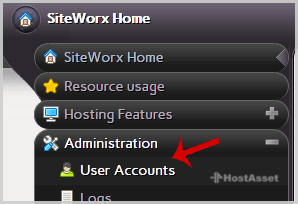
4. Under the Action option, Click the Edit button.
5. In the E-mail field, Enter your new email address.
6. Click the Save button.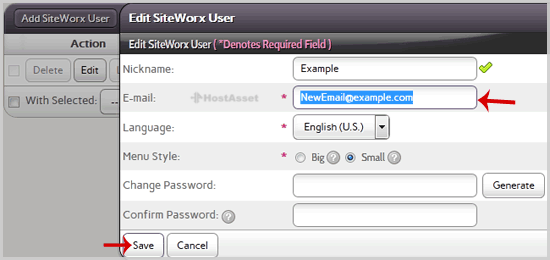

*Currency rates are update daily and it may not match your bank rates
*Prices are with highest discount and VAT is excluded