
1. Log into your SiteWorx account. (eg: www.example.com:2443/siteworx/ )
2. Under SiteWorx Menu, click the Hosting Features menu item if it is not already open.
3. Click the Domain menu item and then click on the Subdomain option.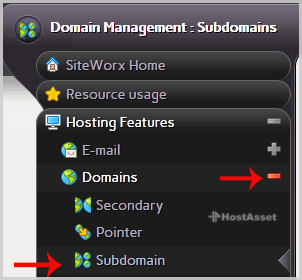
4. Under the "Add a Subdomain" tab, enter your subdomain name in the Subdomain field.
5. Click on the Add button.

*Currency rates are update daily and it may not match your bank rates
*Prices are with highest discount and VAT is excluded