

You can remove your published or draft post in WordPress.
1. Login to your WordPress admin dashboard.
2. Under the dashboard menu, hover your mouse on Posts and then click on All Posts.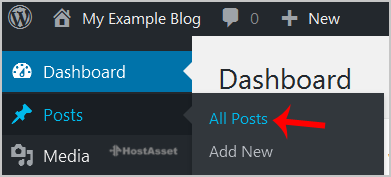
3. Choose the post you wish to remove, and the Trash option will appear, Click on it.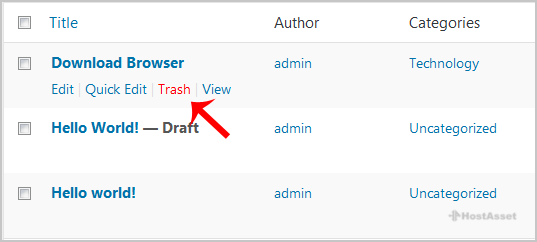
You will get a success message as 1 post moved to the Trash.
*Currency rates are update daily and it may not match your bank rates
*Prices are with highest discount and VAT is excluded