

If you have added a new domain, you can also remove it using your Plesk panel should you wish to do so.
1. Log in to your Plesk account.
2. In the Sidebar Menu, click on Websites & Domains.

3. Under Domain Name, you can see the list of your domains. Click on the More icon  and then on Delete Website.
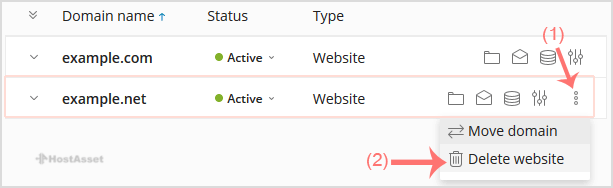
4. Confirmation box will appear. Click Yes to remove your domain.
*Currency rates are update daily and it may not match your bank rates
*Prices are with highest discount and VAT is excluded